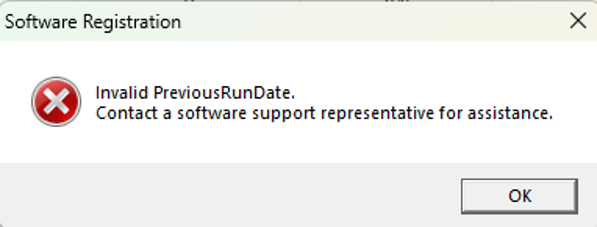
Recently, some eQUEST users have reported a problem when starting up:
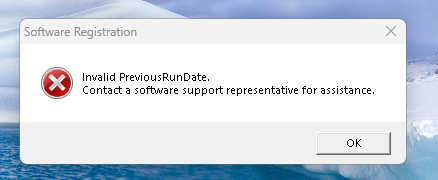
There were some workarounds that the community found. Could someone elaborate on them for users who are running into this issue?
Recently, some eQUEST users have reported a problem when starting up:
There were some workarounds that the community found. Could someone elaborate on them for users who are running into this issue?
Users will run into this error after using eQUEST with the DOE2.2 engine active, then reopening the application. It stems from a value in the Registration section near the bottom of the eQUEST.ini configuration file.
I have seen a variety of solutions. I use a powershell script that cleans the configuration file for me, asks what version of DOE2 I want to launch with, then launches the eQUEST application for me. I have replaced my Desktop shortcut and my Windows Start Menu shortcut to launch this powershell script instead of the eQUEST.exe directly. This acts as a more permanent solution compared to others I have seen. You are welcome to use the same script, pasted below. You will just need to correct the paths to your ‘eQUEST.ini’ and possibly ‘eQUEST.exe’ to match your installation. Please consult your preferred AI agent for further assistance setting this up before reaching out to me.
# --- CONFIG ---
$iniPath = "E:\Documents\eQUEST 3-65-7175 Data\eQUEST.INI"
$exePath = "C:\Program Files (x86)\eQUEST 3-65-7175\eQUEST.exe"

$keysToClear = @("Status=", "Special=")

# --- SELECT DOE VERSION ---
$choice = $Host.UI.PromptForChoice(
    "Select DOE Version",
    "Choose version to launch:",
    @("&1 DOE 2.2", "&2 DOE 2.3"),
    1
)

$doeVersion = if ($choice -eq 0) { "0" } else { "2" }

# --- PROCESS INI FILE ---
if (Test-Path $iniPath) {
    $content = Get-Content $iniPath

    $newContent = $content | ForEach-Object {
        $line = $_

        foreach ($key in $keysToClear) {
            if ($line -like "*$key*") {
                return ($key.TrimEnd("=") + "=")   # reset line
            }
        }

        if ($line -like "DOE2Version=*") {
            return "DOE2Version=$doeVersion"
        }

        return $line
    }

    Set-Content -Path $iniPath -Value $newContent -Encoding ASCII
}

# --- LAUNCH EXE ---
if (Test-Path $exePath) {
    Start-Process $exePath
} else {
    Write-Error "EXE not found: $exePath"
}
The issue is a date overflow after mid January 2026.
Solution 1)
In the eQUEST.ini file in your data directory (not the one in the program directory), there is a line near the bottom:
Status=
Set it to:
Status=0
When you next run eQUEST, it will prompt for a registration code, but will be populated with a valid one so hit OK.
To make this solution such that you do not have to edit eQUEST.ini every time, you can set eQUEST.ini to be read only.
Solution 2)
In the [Registration] section of the eQUEST.ini file on your data directory, replace the text with the following:
Code=9349417631702397005-001
Status=1000
Special=583183190
…and save.
To make this permanent, you can set eQUEST.INI to be read only after making the change.
Upon opening eQUEST after a previous successful application start you get the below pop-up message box here are the way you resolve that problem.
You do not need to, and should not, reinstall eQUEST to resolve this problem.
In the equest.ini located in the C:\Users\“your user name”\Documents\eQUEST 3-65-7175 Data\, in the [Registration] section at the bottom of that file, if you set/reset
Status=0
before starting eQUEST, when DOE-2.2 is selected for the simulation engine (not an issue when DOE-2.3 was previously selected), should cause a registration dialog with a valid registration number to be displayed instead, then you should be able to just click OK and eQUEST should startup normally. Some have suggested using the original equest.ini before starting it the first time and setting the file to be read only; you can also do that after making the above change but that prevents saving other information about the last use (such as switching between DOE-2.2 and DOE-2.3, weather file to use and last file opened) rather than having the startup just ignore previous date information.
This fix is not needed when opening eQUEST that has already been set to open in DOE-2.3 mode, but needs to be applied after any open in DOE-2.2 mode even when that open was just to switch to DOE-2.3 mode.
You can keep the .ini open in Notepad and just reset the status each time before re-opening eQUEST. When saving the .ini do not change the format (it must stay as a text file with the exact name equest.ini)
I expect we need to change source code, rebuild and repost a new version to fix this permanently.
I believe making eQUEST.ini ‘read-only’ will cause unexpected behavior for users that switch between DOE2.2 and DOE2.3
Excellent observation.
Our solution is to run Build 7174 (or 7173) for DOE2.2 and Build 7175 for DOE2.3 only.